How to Capture Leads from YouTube Videos (Complete Guide 2026)
Learn how to turn YouTube video viewers into leads with in-video forms, CTAs, and email capture. Step-by-step setup guide with examples.
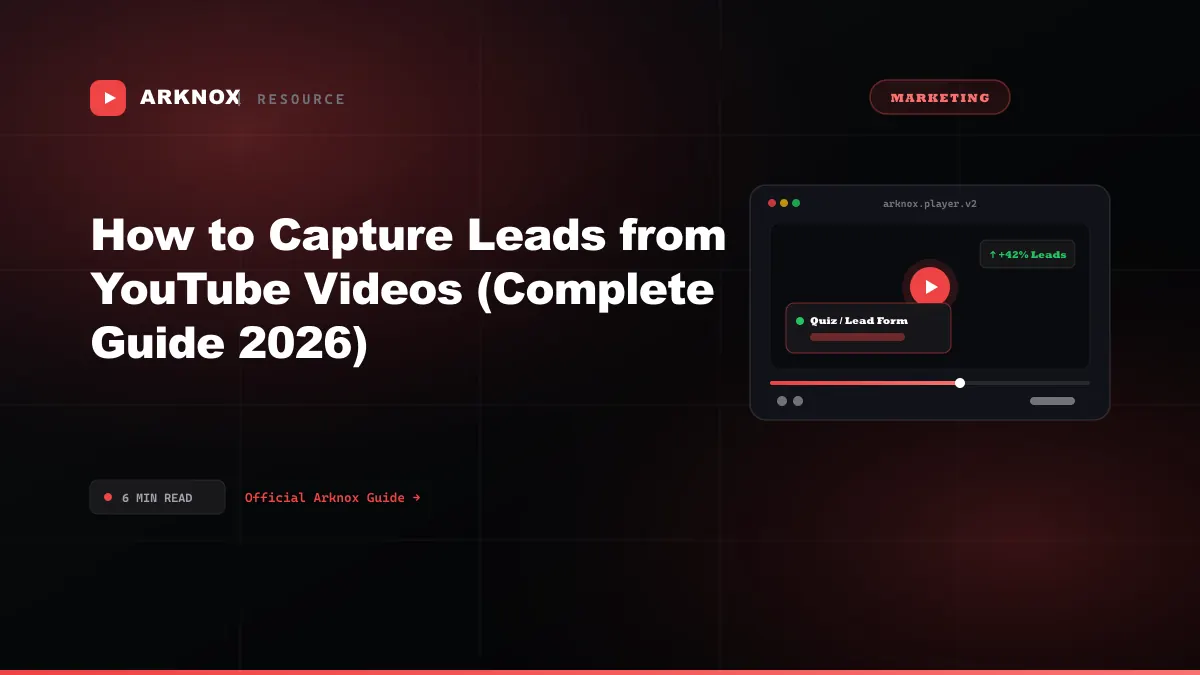
Learn how to turn YouTube video viewers into leads with in-video forms, CTAs, and email capture. Step-by-step setup guide with examples.
Why In-Video Lead Capture Outperforms Every Other Method
Most websites treat video and lead generation as separate activities. You embed a YouTube video, and separately you have a contact form somewhere else on the page. The conversion rate on that approach is terrible — typically 1-3% of viewers ever find and fill the form.
In-video lead capture works differently: the form appears inside the video player at the exact moment the viewer is most engaged. That moment — right after you've delivered value, right before revealing the answer — is when conversion rates spike to 15-35%. You're not interrupting the experience; you're extending it with a value exchange.
The 4 Methods, Ranked by Conversion Rate
Method 1: Description Link → Landing Page (0.5–2%)
The default approach. Add a URL in the video description, viewer clicks it, lands on a page with a form.
Why it underperforms: Requires 3 separate intent actions — notice the link, click it, fill the form. Most viewers who would have converted never see the link at all (especially on mobile where descriptions are collapsed).
Method 2: YouTube Cards & End Screens (1–3%)
YouTube allows clickable cards (at any timestamp) and end screens (final 20 seconds) that link to an external URL.
Why it underperforms: Cards take viewers off YouTube to your landing page, breaking the watch session. End screens only appear after the video finishes — a significant drop in audience. Neither supports in-player forms.
Method 3: Overlay CTA + Separate Landing Page (3–8%)
Show a branded overlay on the embedded video ("Download the guide →") that links to a landing page. Better than a description link because it's visible during watching.
How to set it up in Arknox: Add a "Button" overlay at your chosen timestamp with a link to your landing page. Viewers click and are taken to the form.
Why it's limited: Still requires leaving the video. Form conversion rates on cold landing page traffic are typically 5–15%, so your overall rate (video → CTA click × landing page conversion) stays low.
Method 4: In-Video Email Form (15–35%) ✓ Best
The form appears directly inside the video player. The viewer enters their email without leaving the page, and the video continues immediately after submission.
Why it converts: Zero friction. The viewer is mid-engagement, the value exchange is immediate ("enter your email to keep watching"), and there's no page transition to break momentum.
Step-by-Step: Setting Up In-Video Lead Capture
Step 1: Choose the right video
Not every video is a good candidate. The best ones:
- Product demos — Viewer is already evaluating your product; a "start free trial" form mid-demo converts extremely well
- Tutorial series — Gate lesson 2+ behind email capture; use lesson 1 as the lead magnet
- Case studies — Show the problem and context, then gate the results
- Webinar replays — High-intent viewers; a form at 40% captures people before they drop off
Step 2: Find the curiosity peak
The curiosity peak is the moment where the viewer wants what comes next more than they want to avoid friction. It's almost always right before a reveal:
- "Here are the 3 reasons your embed is slow… [form] …here's the fix"
- "We went from 0 to 1,000 leads/month. Here's how we did it → [form]"
- "The configuration most people get wrong is… [form]"
- Minimum 20% through the video (don't ask before you've delivered value)
- Maximum 75% (drop-off is too high after this point)
- Sweet spot: 40–60% for most videos
Step 3: Configure the form in Arknox
- Open your video in the Arknox dashboard
- Click Add Overlay → Lead Form
- Set the timestamp
- Configure fields — email only is best; every additional field drops conversion ~15%
- Write the CTA copy — "Continue watching" outperforms "Subscribe" and "Sign up"
- Choose gated (required) or optional — gated gets more leads, optional gets more views
- Set a thank-you message
Step 4: Export and connect
Leads captured in Arknox are stored in your dashboard with timestamps (which video, which timestamp, when). Export as CSV or connect via webhook to your email platform.
Copywriting That Converts
The text on the form matters as much as the placement. These patterns work:
| Pattern | Example | Why it works |
|---|---|---|
| Continue watching | "Enter your email to continue" | Immediate reward, minimal friction |
| Unlock content | "Get the full breakdown →" | Implies value being withheld |
| Get the resource | "Download the step-by-step checklist" | Tangible asset |
| Join the group | "Join 2,400 marketers who've watched this" | Social proof |
GDPR and Privacy Compliance
If any viewers are based in the EU, your in-video form is subject to GDPR:
- Include a checkbox: "I agree to receive emails from [Company]" (must be unchecked by default)
- Link to your privacy policy from the form
- Store consent timestamps — Arknox logs the form submission time automatically
- Honor unsubscribes within 10 business days
What to Do With the Leads Immediately
The single biggest mistake after setting up in-video capture is letting leads sit in a CSV for days. Response speed matters enormously:
- Under 5 minutes: 9x higher contact rate than responding after 30 minutes
- First email: Send immediately on form submission with exactly what you promised
- Sequence: 3–5 emails over 2 weeks, value-first before selling
Measuring Performance
Track these four numbers weekly:
| Metric | Calculation | Target |
|---|---|---|
| Form impression rate | Viewers who reach timestamp ÷ total views | 60%+ |
| Form conversion rate | Submissions ÷ form impressions | 20%+ |
| Post-capture completion | Viewers who finish after submitting ÷ submissions | 50%+ |
| Email open rate | Opens ÷ emails sent | 35%+ |
Arknox vs. Vidyard vs. Wistia vs. EmailPlay
If you're evaluating tools for in-video lead capture, here's how the main options compare:
| Feature | Arknox | Vidyard | Wistia | EmailPlay |
|---|---|---|---|---|
| Works with YouTube-hosted videos | ✅ | ❌ (re-upload) | ❌ (re-upload) | ✅ |
| In-video email form | ✅ | ❌ (separate page) | ✅ (Turnstile) | ✅ |
| White-label player | ✅ | ✅ (enterprise) | ✅ | Partial |
| Interactive overlays (quizzes, polls) | ✅ | ❌ | Partial | ❌ |
| Per-viewer engagement analytics | ✅ | ✅ | ✅ | ❌ |
| Pricing | Credits (no subscription) | $59/user/mo+ | $79/mo+ | $9/mo+ |
| Free option | ✅ 1 credit | Limited | ❌ | ❌ |
When to pick something else:
- Vidyard — B2B sales team that needs CRM sync (Salesforce/HubSpot) and personalized video thumbnails
- Wistia — Already using their hosting + need deep Marketo/HubSpot marketing automation
- EmailPlay — Simple email gates only, tight budget, no need for quizzes or analytics
Conclusion
In-video lead capture is the highest-ROI change you can make to an existing video marketing strategy. You already have the traffic; you're just not capturing it. With Arknox, the first in-video form takes under 10 minutes to set up — and the free credit means you can test it on one video before committing to anything.
Founder of Arknox. Builds tools for creators, marketers, and educators — white-label players, in-video forms, quizzes, and video engagement analytics.