
Included from Academy / Scale
AI that works from your own content
Draft lessons and outlines, and ask questions about your sales and students. You review everything before it is used.
- Drafts
- You approve every one
- Your data
- Lessons, sales and students
- Credits
- Included every month
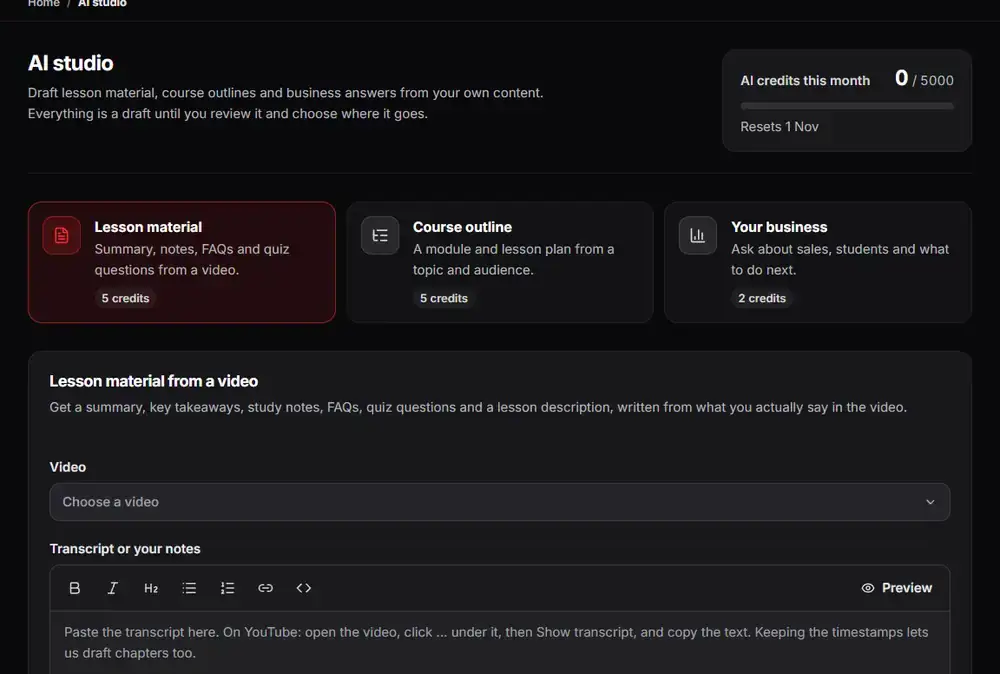
The real Arknox dashboard with sample data
Up and running in three steps
- 1
Pick a task
Choose lesson material, a course outline, a business question or a support reply.
- 2
Review the draft
Read it, edit it or throw it away.
- 3
Use it
Save it to a lesson, send the reply or keep the answer.
AI that starts from what you already have
A general chatbot knows nothing about your course or your students. The AI studio starts from your own material: your videos, your lessons and your numbers.
You can ask it to draft lesson notes from a video, outline a new course, or answer business questions such as which offer sold best this month. It can also draft replies to student questions.
Nothing is sent automatically. Drafts wait for you to read, edit and approve, so you stay in control of what students see.
See it inside the dashboard
What you get
Lesson material
Draft notes and summaries from your videos.
Course outlines
Turn an idea into modules and lessons.
Business questions
Ask about your sales and students and get an answer.
Support reply drafts
Get a first draft of a reply to a student.
You approve everything
Drafts are never sent without your review.
Monthly AI credits
Each plan includes credits, and you can add more.
Made for
- Creators who write a lot of lesson material
- Teachers answering the same questions again and again
- Owners who want quick answers about their numbers
Good to know
AI results can be wrong, so always review them. The advanced studio tools are part of Academy / Scale, and AI credits are limited per month.
Questions people ask
Will the AI send messages on its own?
No. Drafts wait for your approval.
What does it use to answer?
Your own videos, lessons and business data in your account.
Are AI credits limited?
Yes. Every plan includes a monthly amount and you can buy more.
Can it make mistakes?
Yes. Treat every result as a draft and check it before you use it.
Try it on your own videos
Create an account, paste a YouTube link and see it working in a few minutes.