
Included from Business
Emails that follow what people do
Send the right email when someone finishes a video, leaves a checkout or stops a course.
- Behaviour
- Triggered by what people do
- Segments
- Send only to the right people
- Your address
- Send as you@yourdomain.com
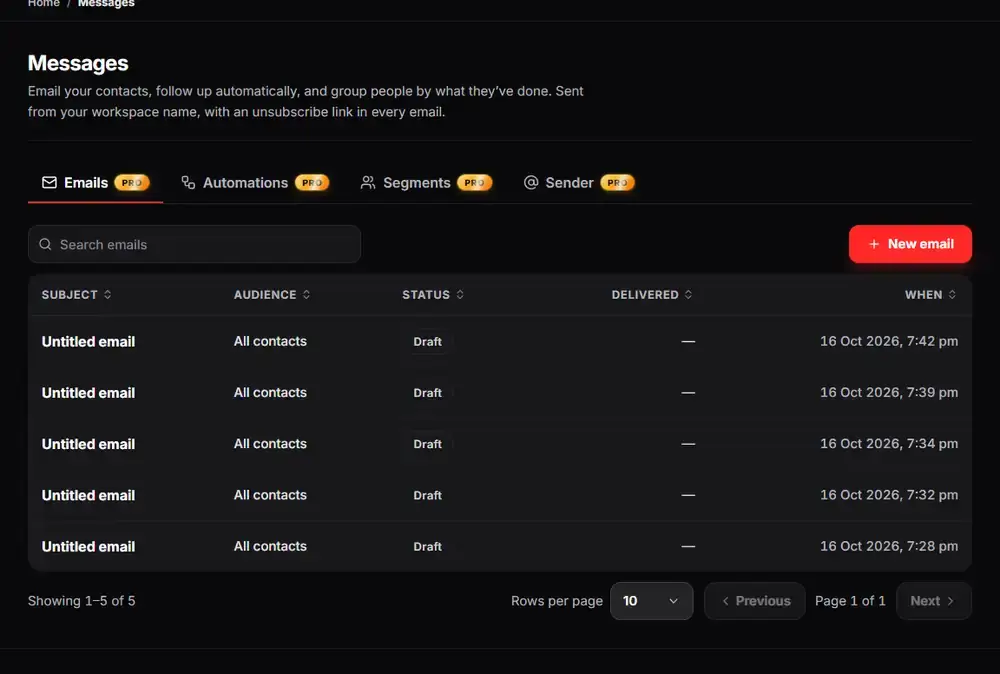
The real Arknox dashboard with sample data
Up and running in three steps
- 1
Choose a trigger
Pick an event such as finishing a video, abandoning checkout or going quiet.
- 2
Write the email
Write it once. It goes to everyone who meets the trigger.
- 3
Check the results
See who got what, and adjust.
Behaviour first, calendar second
Sending the same newsletter to everyone ignores what each person has actually done. An automation starts from an event instead: a viewer finishes a video, a buyer leaves before paying, a student has not opened a lesson in a while.
Because the event data already lives in Arknox, you do not need a separate tool and a connector to move it around. You choose the trigger, write the email and the system sends it.
For one-off announcements you can also send a broadcast to everyone or to a saved segment.
See it inside the dashboard
What you get
Behaviour triggers
Start from what people do, not a date.
Abandoned checkout recovery
Win back buyers who left before paying (Business).
Broadcasts
One email to everyone or to a segment.
Segments
Send only to people who match.
Your own sender address
Send as you@yourdomain.com through your mailbox (Academy / Scale).
Monthly send limits
Clear limits per plan, with usage shown.
Made for
- Creators who want follow-ups without extra tools
- Teachers who want to nudge students who stopped
- Sellers who want to recover abandoned checkouts
Good to know
Automations start on the Business plan. Monthly email limits depend on the plan, from 1,000 on Starter to 100,000 on Academy / Scale.
Questions people ask
Do I need a separate email tool?
No. Broadcasts and automations are built in and use the same contacts as your CRM.
Can emails come from my own address?
Yes, on the Academy / Scale plan you can send from your own domain through your mailbox.
Is there a limit on how many emails I can send?
Yes, a monthly limit per plan. Your usage is shown on the Pricing page.
Which plan includes automations?
Business and above. Broadcasts are available on Business too.
Try it on your own videos
Create an account, paste a YouTube link and see it working in a few minutes.